⚡ For freelancers, devs and hourly billers

The timer
that doesn't lie to you.

IDLEWATCH tracks only the time you're actually producing. Pauses on its own when you walk away from the PC. Blocks what distracts you. At end of day, shows the number that matters — not the one you pretended to work.

Automatic 7-day Pro trial No credit card required Your data stays on your PC
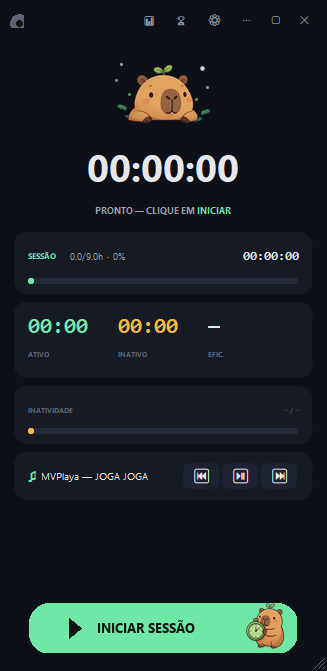
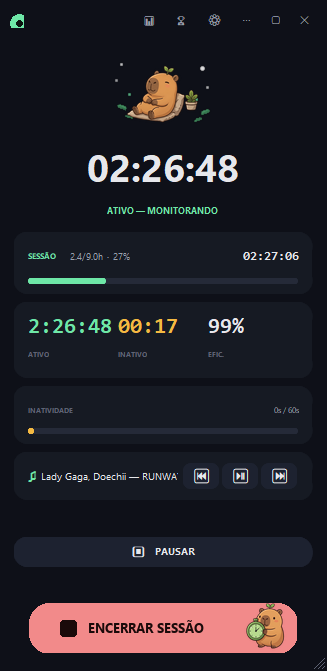
Overlay do IDLEWATCH rodando uma sessão de 02:35:42 com mascote capivara

You think you worked 8 hours.

A regular timer only counts time it's running. Doesn't tell work from pretending. That's why the number lies.

📱

20 minutes on Instagram

But your Toggl is still running, billing it as work.

Went out for lunch

Forgot to pause. Came back 1h later with an inflated "productive" hour.

🤷

End of month

You don't know if it was 80h or 120h. You invoice by guess, not by fact.

How it works

Three things it does on its own, in the background, without you thinking about it.

1

You start the session

One click on the floating overlay (or a global hotkey). The timer starts. Stays visible on any screen without getting in the way.

Overlay with the Start Session button highlighted
2

Walk away? It pauses.

Detects mouse and keyboard inactivity. No input for X seconds and the session goes idle — no inflated timer.

Session automatically paused after idle detection
3

Distraction? It blocks.

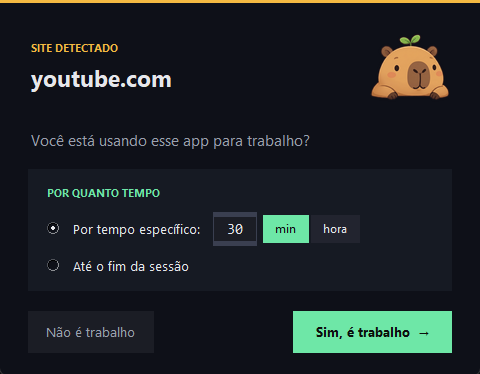
Define apps and sites that auto-trigger IDLE when opened during a session. Extreme Focus mode: total lockdown.

Alert that pops up when you open a distraction app during a session

Everything inside

More than a timer. A complete system for people who take focus seriously.

Smart sessions

Automatic pauses, recovery after crash, Pomodoro integration, always-visible but discreet overlay.

💤

Idle detection

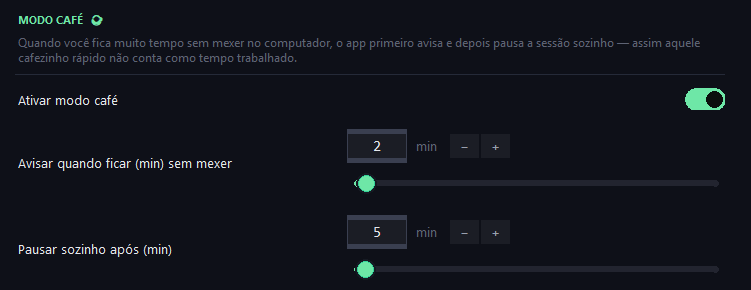
Pauses on its own when you leave and resumes when you're back. Coffee mode: warns before pausing so you don't lose your rhythm.

🚫

Distraction blocker

List of apps and sites that automatically trigger IDLE. Extreme Focus mode locks them out completely — no way around it.

📊

Honest reports

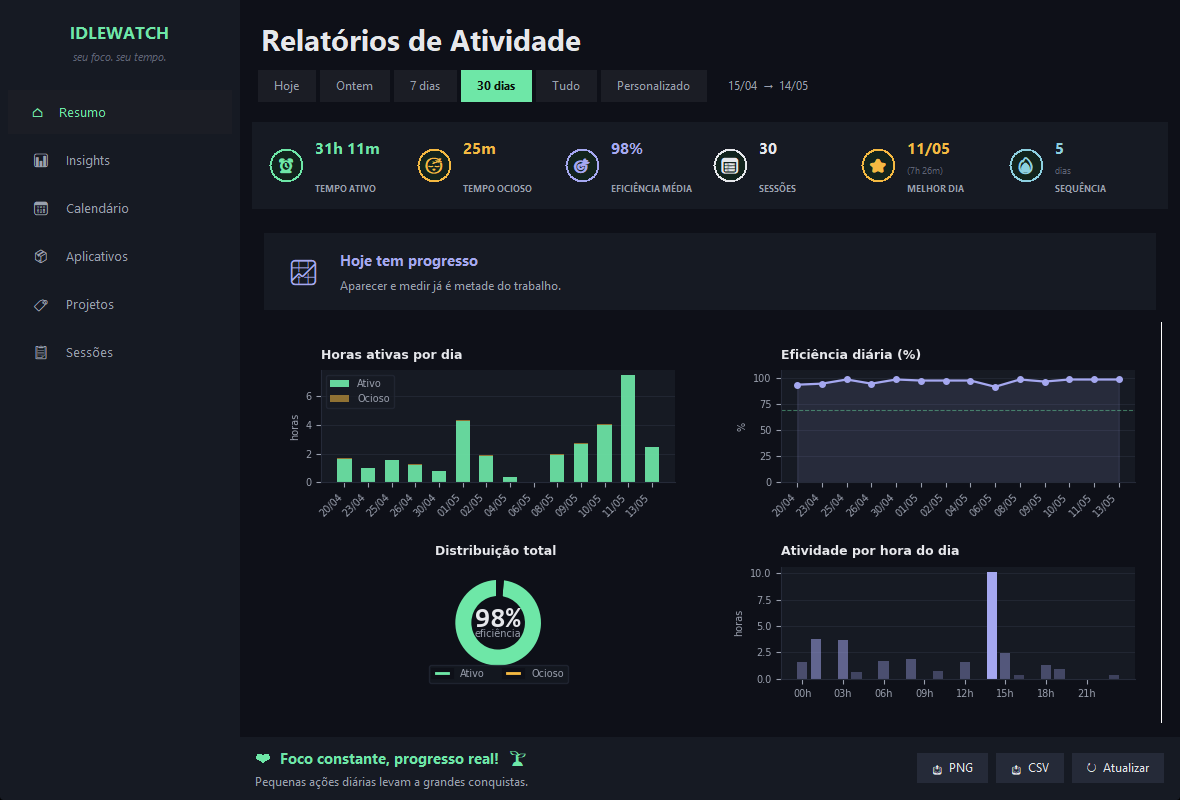
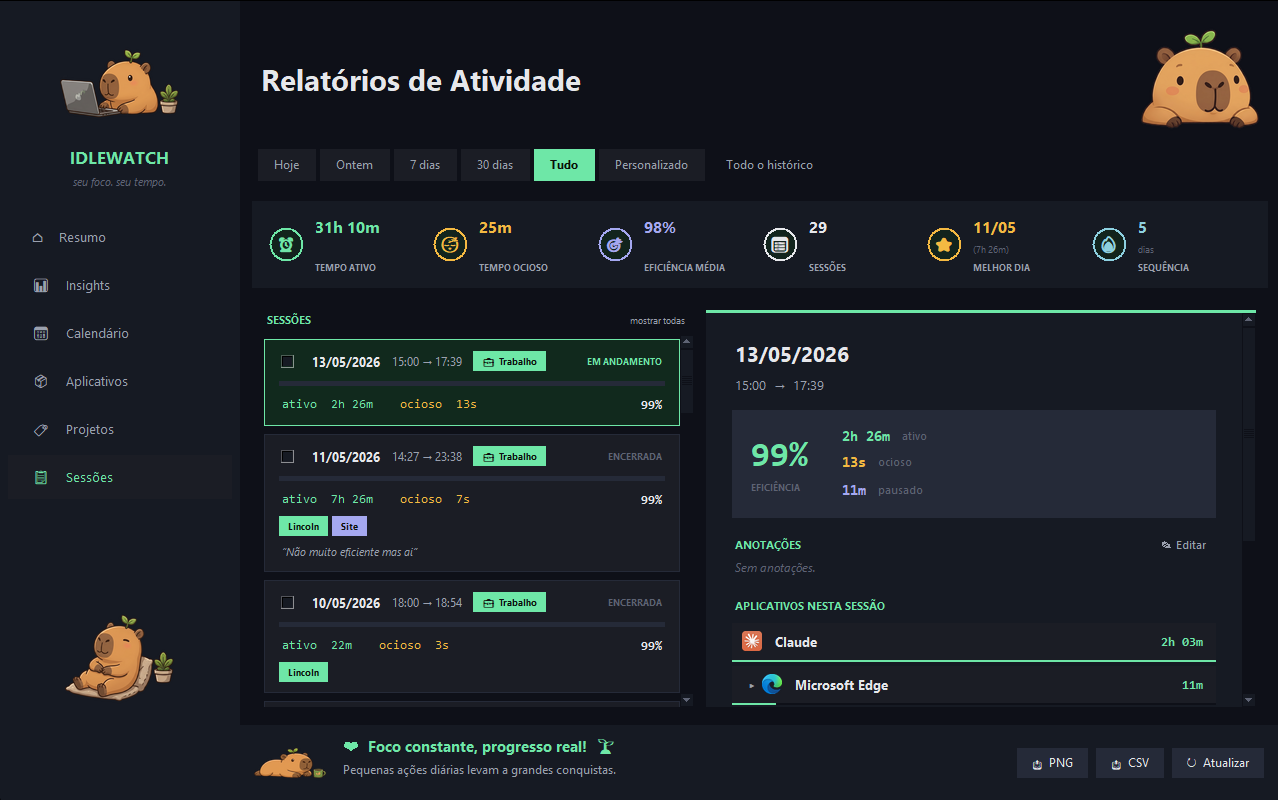
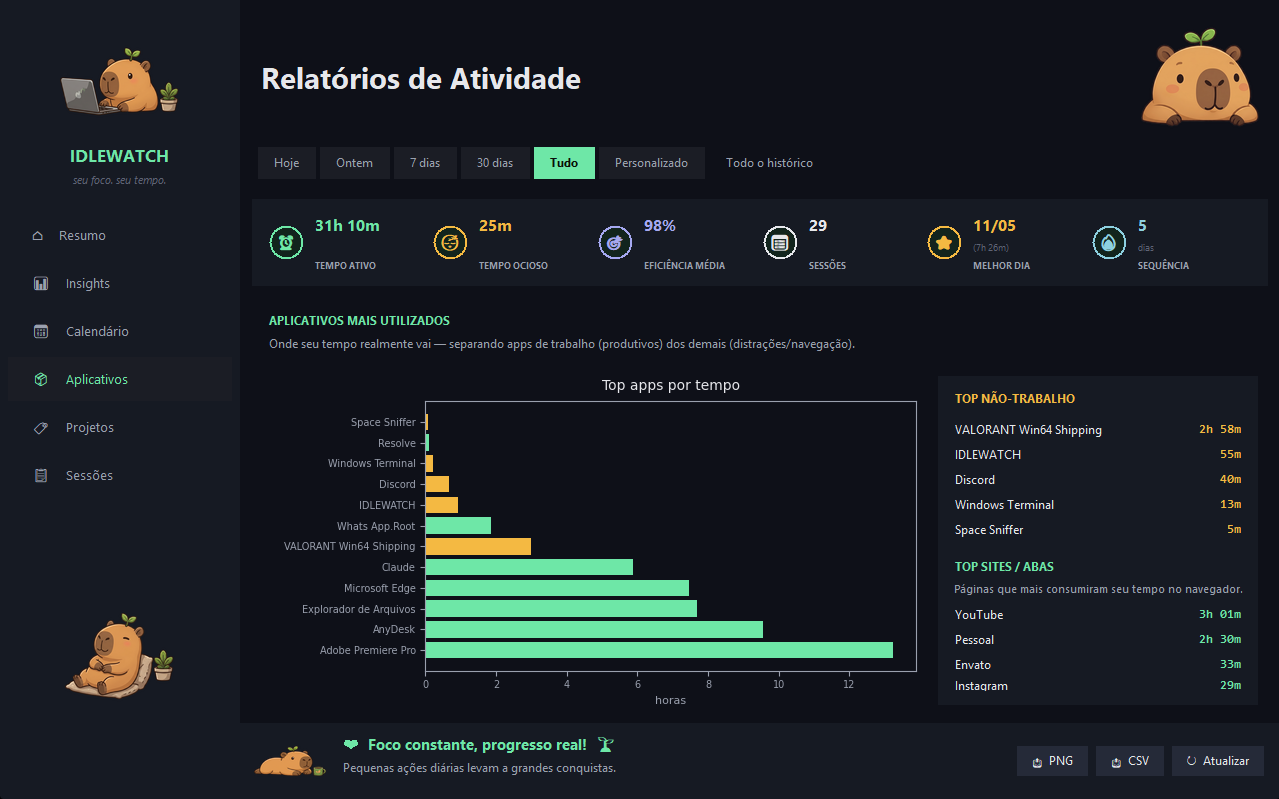
See exactly where your time went: by day, by app, by project. Trend charts, distraction ranking, evolution.

🏷

Projects and tags

Bind sessions to projects or clients. At end of month you know exactly how much you worked on each — zero manual effort.

🏆

Achievements and goals

Daily/weekly goals with streaks. A mascot keeps you company and celebrates when you keep the rhythm.

🎯

Built-in Pomodoro

Configurable cycles (25/5, 50/10, or your own). Sound and notification at the start and end of each block.

🔒

100% local and private

Your sessions never leave your PC. Only license validation talks to our server — once a day.

Global hotkeys

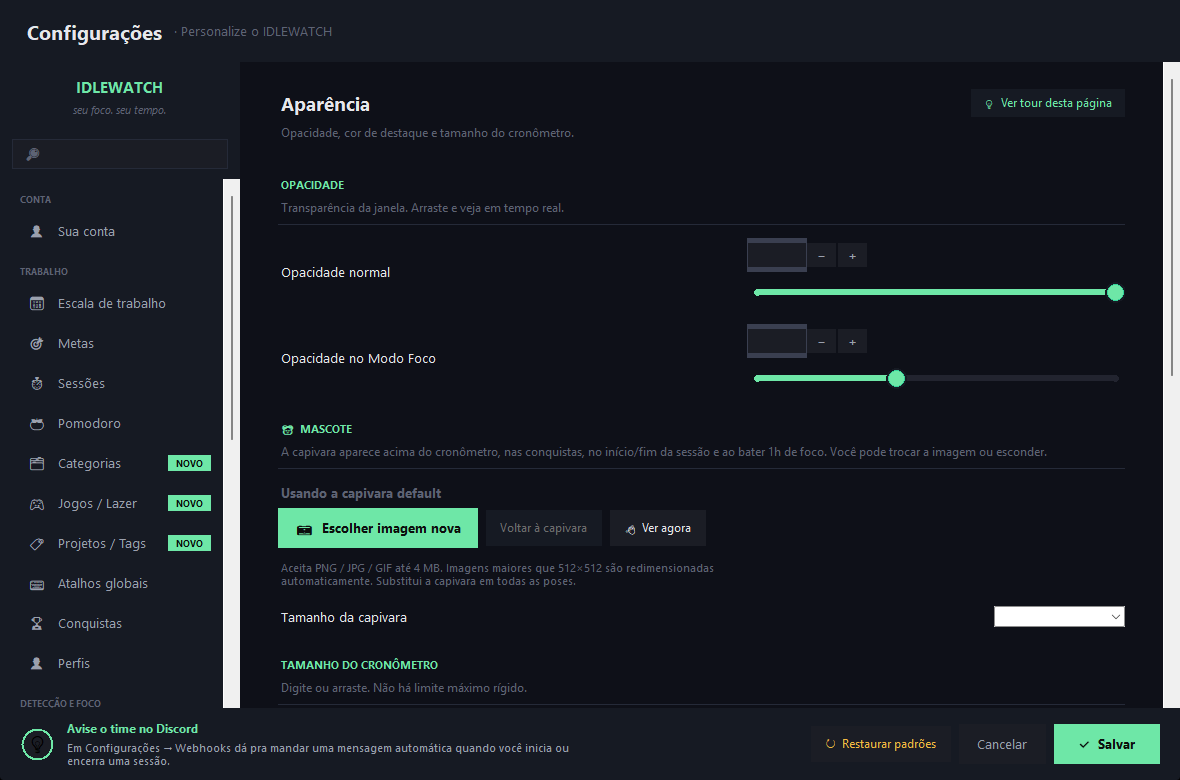
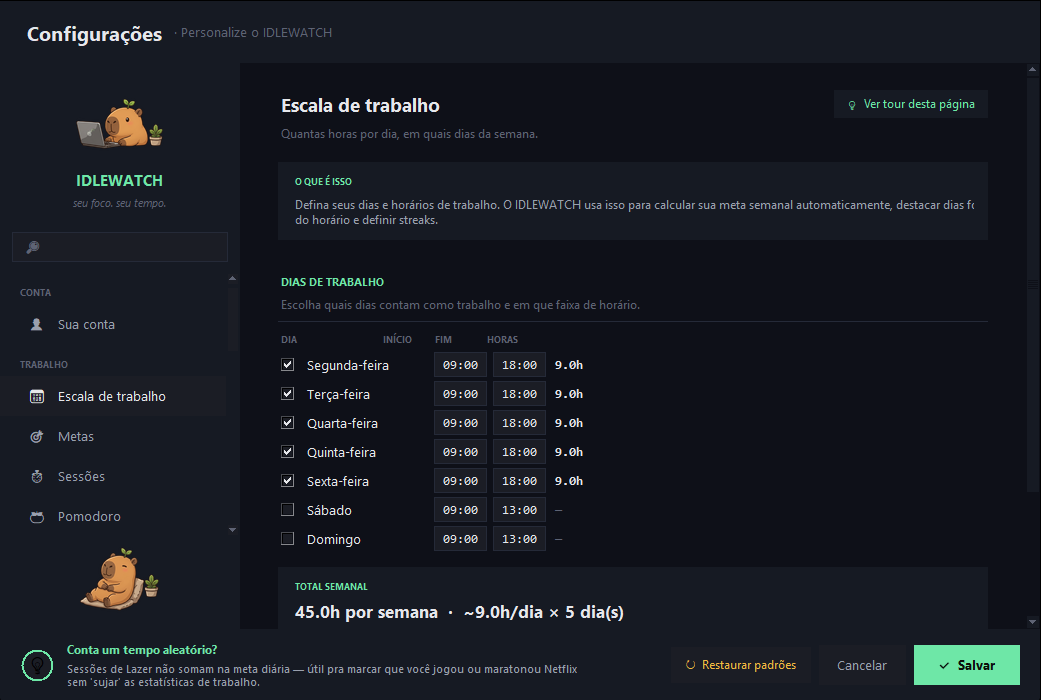
Start, pause, mark task — without taking your hands off the keyboard. Configurable in Settings → Hotkeys.

Simple pricing

Start for free. One-time or subscription — your choice. Every paid plan includes a 7-day free trial.
Prices in USD · Cards from any country accepted via Stripe.

Free

$ 0 /forever

For people who just want the timer working.

  • Timer + Pomodoro
  • Automatic idle detection
  • Tray, global hotkeys, mascot
  • Achievements and goals
  • Up to 5 projects / tags
  • No recovery after crash
  • No reports and insights
  • No distraction blocker
Download free

Pro MONTHLY

$4.99 /month

Everything unlocked. Cancel any time.

  • Everything in Free, no limits
  • Smart recovery after crash
  • Full reports and charts
  • Insights and trends
  • Distraction blocker
  • Extreme Focus (radical lockdown)
  • Unlimited projects / tags
  • Unlimited history
Subscribe monthly

Lifetime

$59.99 · one-time

Pay once and use forever. Never pay again.

  • Everything in Pro, forever
  • No subscription, no renewal
  • Free future updates
  • Pay in installments on credit card
  • Access to beta features
  • Priority email support
Buy Lifetime

All paid plans: payment processed via a secure platform · Credit card or PIX · 7-day money-back guarantee

Common questions

The questions people ask most before buying.

How does the 7-day trial work?

When you install IDLEWATCH for the first time, you automatically get 7 days with ALL Pro features unlocked. No credit card, no signup — just open the app. When the trial ends, the app keeps working on the Free plan; you only lose access to reports, insights, the blocker and some advanced features. Your data stays intact.

Can I cancel the subscription any time?

Yes, no penalty. If you cancel mid-month, you keep Pro access until the next billing date and then drop to Free automatically. Your data is never deleted — you only lose access to Pro features. Lifetime, being a one-time payment, has no cancellation — you pay once and use forever.

Does it work on Mac or Linux?

Today, Windows only (10 and 11). Mac and Linux are on the roadmap but no firm date. If this matters to you, email contato@idlewatch.com — user feedback drives prioritization.

Where is my data stored?

Everything on your PC. Sessions, projects, settings and stats live in %LOCALAPPDATA%\IDLEWATCH\ and never leave your machine. The only thing that talks to our server is license validation — once a day, sending only an anonymous device ID.

On how many PCs can I use the same Pro key?

Up to 2 devices per key. If you swap your laptop or wipe one of the PCs, you can "log out" of the old one and activate the new one without losing anything. Above 2 the activation is denied — just release one of the slots in Settings → Your account → Sign out of this license.

Do I need internet to use it?

Not to use. Only for the first activation and to revalidate the license every 24h in the background. If you go offline, the app keeps working normally for up to 30 days before asking for a new online validation.

How do I receive the key after purchase?

As soon as the payment confirms, you receive the key by email automatically (in a few minutes). Then open IDLEWATCH, go to Settings → Your account, paste the key and click Activate.

What if I don't like it?

You have 7 days after purchase to request a full refund, no questions asked. Just email contato@idlewatch.com and we return your money. Lifetime has the same guarantee.

Why isn't it open-source?

Some parts are (the license server and the landing). The client app stays closed to keep the subscription model viable — open-source of a paid product turns into a pirate fork in a week. If that bothers you, totally fair; there are free alternatives like ActivityWatch that cover part of what IDLEWATCH does.

Is payment safe?

Payment is processed by a regulated Brazilian platform with end-to-end encryption. Accepts credit card (recurring) and PIX. Card data never passes through IDLEWATCH — it goes straight to the payment platform infrastructure.

I'm outside Brazil. Can I pay?

Right now payment is processed via Asaas (Brazil-only), which requires a Brazilian tax ID (CPF) at checkout. International payments via Stripe / Lemon Squeezy are on the very next roadmap step. If you want priority access as a non-BR customer, email contato@idlewatch.com and we'll set you up manually with a Pro key once you've paid via whatever channel works (Wise, PayPal, etc.).
Start for free. Decide later.

Download, install, get 7 days of Pro automatically. If you like it, subscribe. If you don't, keep using Free forever — no nags, no lock-in.